Heartbeat monitoring for n8n · Zapier · Make · and anything that runs
Know when your automations stop working, not just when they stop running.
A dead trigger, a step that fails silently, a run that “succeeds” and moves nothing: Checkilo catches all three in minutes, before a customer notices.
No card · 2-minute setup · free to start
What Checkilo shows you
“But I already get error emails.”
You do: for runs that start and then crash. The expensive failures are quieter.
It never ran.
A dead trigger, an expired login, a switch someone left off. No run, no error, no email.
It died halfway.
The order came in, the CRM step silently failed, the confirmation never went out. Your platform still shows a green run.
It “succeeded” and did nothing.
The run finished fine. The data it was supposed to move never arrived.
Checkilo watches all three: the run, every step, and the result.
Catch what breaks. Prove what works.
The two things you actually need from a monitor.
Detect
Know the instant anything breaks, from a dead trigger to a step that fails without ever sending an error.
The run
Know it ran, or didn't
One ping from your workflow when it runs, trigger-based or on a schedule. If it doesn't arrive when it should, you'll know in minutes.
Every step
See where it stops
Multi-step workflows report each checkpoint as it happens. When the pings stop coming, you see the exact step it reached.
The result
Check the result, not just the status
A run can report success and still deliver nothing. Tell Checkilo what a real result must contain, and get an alert the moment it's missing.
Prove
The truth shows up wherever it's needed: in your dashboard, in your alerts, and on a page you hand your client.
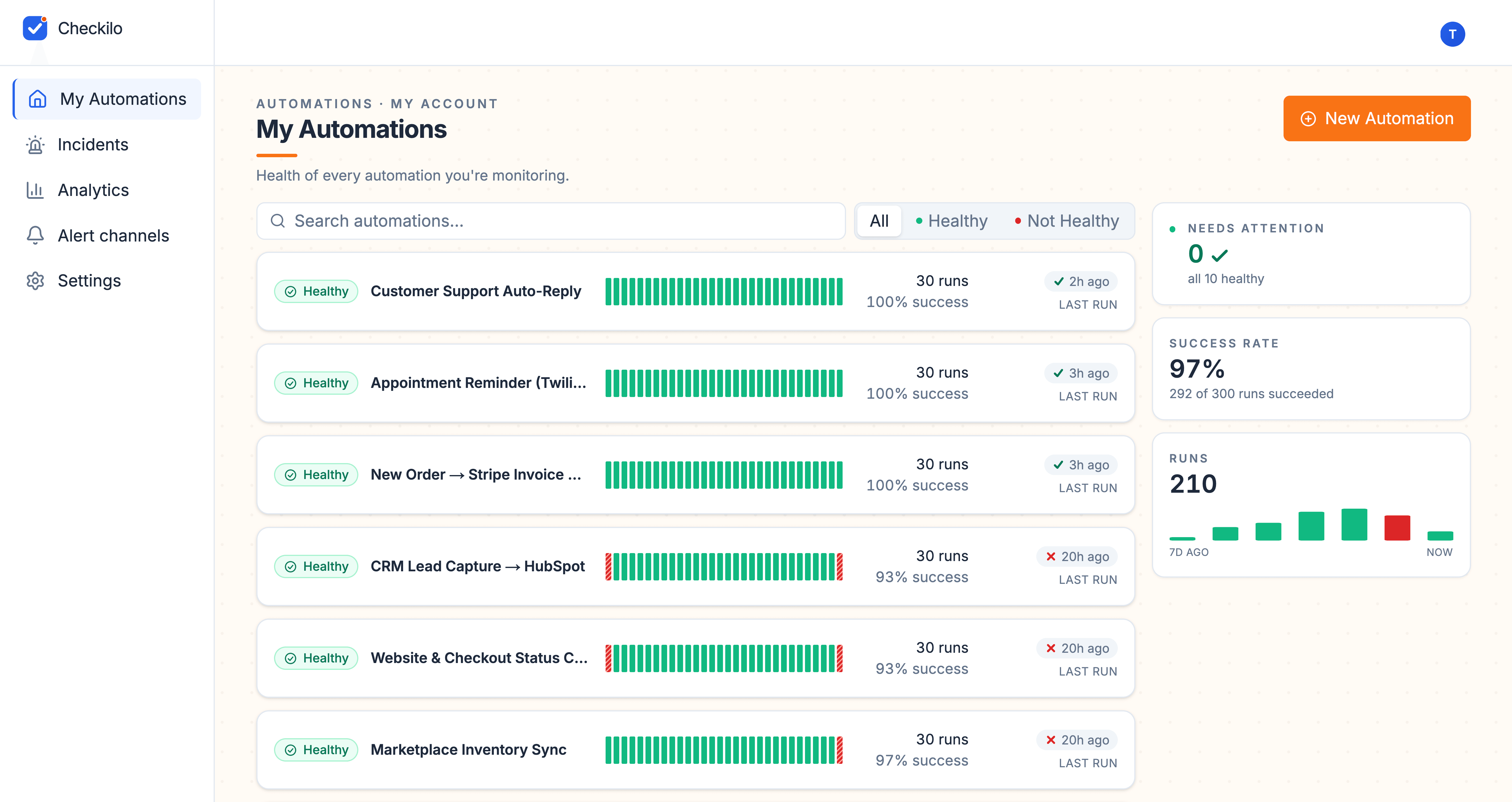
In your dashboard
Track outcomes, not just runs
No setup. Checkilo reads the numbers your automations already send, and reveals one sliding to zero while it still reports success.
- Slack
- Discord
- Telegram
- LINE
- Teams
- Webhook
In your alerts
Alerts where you already look
Slack, email, Telegram, and four more channels. One problem means one alert, with a back-to-normal notice when it recovers.
For your client
Show your client it's handled
Hand them a live link, no login, that shows their automations are healthy and the real numbers they moved. They see it's under control without asking.
Works with your stack



Straight answers
The questions worth asking before you trust it.
Why not just use my platform's built-in error handling?
It only fires on runs that start and then error. The costly ones never start at all: a paused workflow, an expired token, a connection that quietly dropped. No run, no error, no alert. Checkilo catches that silence.
Is there an analytics dashboard?
Yes. One page holds every automation, its full run history, and its health over time. You glance once instead of opening five tools by hand.
Is this uptime monitoring?
No. Uptime tools tell you the server is up. Checkilo tells you the work inside the automation actually happened: the checkpoints, not server pings or browser tests.
Who is it for, and who isn't it for?
For anyone whose automations touch revenue, orders, support, or reporting, where a silent failure costs you. Not for throwaway hobby flows, or teams wanting full incident management and APM.
Start watching today
Know which step went quiet, before your customer does.
What is one missed order worth? One customer who never heard back? A single quiet failure costs more than years of Checkilo: watching your five most important automations is free, and Pro is $19 a month.
No credit card to start. Two minutes, and your first automation is reporting in.